Is CorelDRAW Still Worth It in 2026?
If you've ever browsed craft blogs, Etsy shop tips, or Cricut design forums, you've probably seen Adobe Illustrator mentioned endlessly. It's the name everyone knows. But tucked alongside those conversations is another tool that has been quietly serving designers, sign makers, and crafters for over three decades: CorelDRAW.
Maybe you used it years ago. Maybe a friend passed along an old copy. Or maybe you're just tired of monthly subscription fees and wondering if there's a solid alternative that won't drain your craft budget. Whatever brought you here, the question is a fair one: is CorelDRAW still relevant in 2026, or has it been left behind?
The short answer: yes, it's still relevant — but not for everyone, and not in the same way it was ten years ago. Let's walk through what CorelDRAW offers today, who it's best for, and how it stacks up against the competition so you can decide if it belongs in your creative corner.
What Is CorelDRAW, Actually?
First, a quick refresher. CorelDRAW is a vector graphics editor — which means it creates designs using mathematical lines and curves rather than pixels. Unlike a photo you take with your phone (which gets blurry when you zoom in), vector art stays crisp at any size. That's why it's the go-to format for logos, vinyl decals, iron-on transfers, and anything heading to a cutting machine like a Cricut or Silhouette.
CorelDRAW first launched in 1989, back when Windows was still finding its footing. It became especially popular among sign makers, screen printers, and engravers — people who needed precision and didn't want to wrestle with overly complex software. That practical, no-fuss DNA is still part of what makes it appealing today.
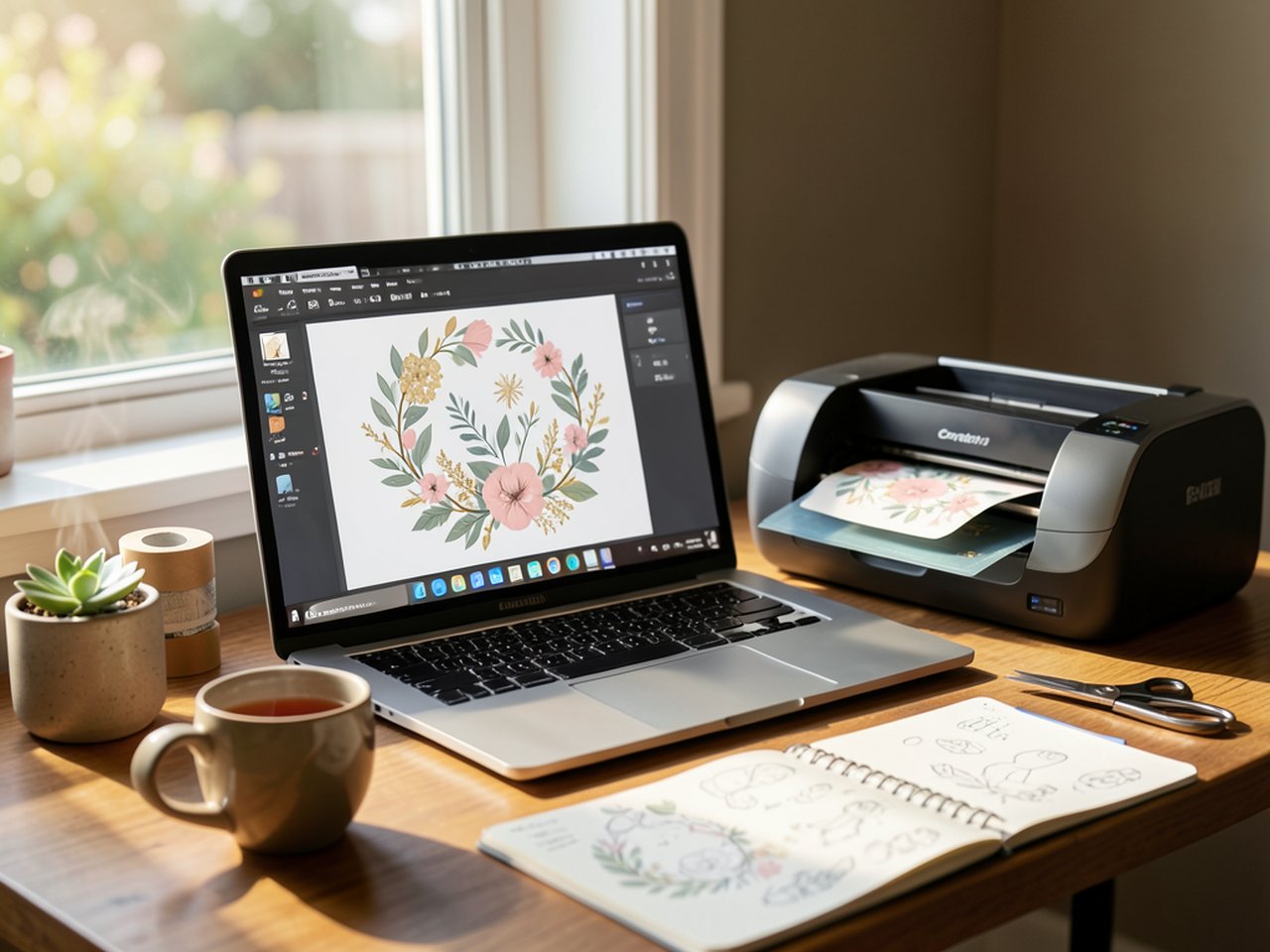
In 2026, the latest release is CorelDRAW Graphics Suite 2026, and it runs on both Windows and Mac. It's no longer just the one program — the suite bundles together several tools that cover vector illustration, photo editing, font management, and even web-based design through CorelDRAW Go, a browser version you can use from almost any device.
What's New in the 2026 Version
If you haven't looked at CorelDRAW in a while, the 2026 release might surprise you. The biggest headline is the introduction of AI-powered tools — yes, CorelDRAW now has its own suite of AI features. You can use text prompts to generate vector elements, remove backgrounds from photos in a single click, and even upscale low-resolution images so they're clean enough for print projects.
These AI features operate on a credit system (Corel calls them AI credits), which come included with a subscription but can also be purchased separately if you need extra. It's not unlike what Adobe offers with Firefly inside Illustrator, but Corel's approach feels a bit more restrained — the AI is there to assist your workflow, not replace your creative decisions.
Other noteworthy updates include:
- Improved SVG export — cleaner output for cutting machines and craft software, with fewer stray nodes and broken paths
- Better pen-and-touch support — smoother drawing on tablets like the iPad (via CorelDRAW Go) and Wacom devices
- Pantone color libraries — still included at no extra charge, which matters if you design for print or branded merchandise
- Enhanced typography controls — variable font support, better text-on-path tools, and OpenType feature access
None of this reinvents the wheel, but it shows Corel is keeping pace. For the crafter who designs custom t-shirts, wedding invitations, or sticker sheets, these are practical improvements that make everyday work smoother.
CorelDRAW vs. The Competition: Where It Shines
Let's address the elephant in the room: why choose CorelDRAW over Adobe Illustrator, Affinity Designer, or the free tool Inkscape? Each has its strengths, and the right pick depends heavily on what you actually do.
CorelDRAW vs. Adobe Illustrator
Adobe Illustrator is the industry standard — no question. If you're applying for a graphic design job at an agency, you'll need to know it. But for the independent crafter running an Etsy shop or designing for personal projects, Illustrator's dominance matters less than its price tag. Adobe runs on a subscription-only model, and at roughly $23 per month for Illustrator alone (or $60/month for the full Creative Cloud), the cost adds up fast.
CorelDRAW offers something Adobe no longer does: a one-time purchase option. You can buy the 2026 version outright and own it forever. There's still a subscription plan if you prefer that route (it's cheaper than Adobe's, and includes ongoing updates plus AI credits), but the permanent license is the feature that keeps a lot of crafters loyal.
CorelDRAW vs. Affinity Designer
Affinity Designer is the darling of the budget-conscious design world — a one-time purchase around $70 that covers Mac, Windows, and iPad. It's elegant, fast, and genuinely excellent. Where CorelDRAW pulls ahead is in print-specific workflows. If you're designing for a laser engraver, a vinyl cutter, or a professional print shop, CorelDRAW's color management, imposition tools, and file compatibility are more battle-tested. Affinity is catching up, but Corel has decades of print-shop trust behind it.
CorelDRAW vs. Inkscape
Inkscape is free and open-source. It's a capable vector editor that handles SVG beautifully and runs on everything. If your budget is zero, start here — you can make wonderful things with it. CorelDRAW's advantage is polish, speed, and the bundled ecosystem. The font manager alone (Corel Font Manager) saves hours if you work with lots of typefaces. And the AI tools, while optional, are genuinely useful for quick background removal or generating placeholder graphics.
Who Should Use CorelDRAW in 2026
After spending time with the current version and talking to people who use it daily, here's my honest take on who CorelDRAW is a great fit for:
Cricut and Silhouette crafters — If you make custom SVG files for cutting machines, CorelDRAW's vector tools are precise and the SVG export is clean. The learning curve is real but not steep, and there are plenty of YouTube tutorials that walk you through making your first cut-ready design in under an hour.
Etsy shop owners — Whether you sell printable wall art, custom stickers, wedding signage, or sublimation designs, CorelDRAW handles the design-to-print pipeline smoothly. The one-time purchase means you're not bleeding subscription fees every month, which matters when you're watching your shop margins.
Home business crafters — If you run a small side hustle making personalized gifts, event favors, or church/school fundraiser merchandise, CorelDRAW's interface is often described as more intuitive than Illustrator's for the kind of layout-heavy work these projects involve. Multi-page layouts, which are clunky in Illustrator, feel natural here.
Windows-first households — CorelDRAW has always been a Windows-native tool first (the Mac version has improved dramatically, but the roots are on Windows). If that's your primary computer and you don't want to learn an entirely different operating system just for your design software, you'll feel at home.
Print-and-cut enthusiasts — The combination of vector illustration plus solid print layout tools means you can design a sheet of stickers, add registration marks, and send it straight to your printer-and-cutter setup without switching between multiple programs.
Who Might Want to Skip It
If you're purely an iPad user who wants to draw with an Apple Pencil and has no interest in a desktop workflow, Procreate or Affinity Designer for iPad will feel more natural. CorelDRAW Go (the web version) works in a browser and is improving, but it's not yet a full replacement for the desktop suite.
If your design needs are very light — occasional text overlays on photos, simple social media graphics — Canva is faster and free. No need to install anything.
And if you're aiming for a career in a design agency that runs on Adobe, you'll want to learn Illustrator regardless. CorelDRAW knowledge is a nice bonus on a résumé, but it won't replace Illustrator fluency in that specific job market.
Pricing in 2026: What You'll Actually Pay
Here's the practical breakdown for the 2026 Graphics Suite:
- Subscription (annual plan): roughly $22/month, billed annually. Includes updates, cloud features, and monthly AI credits.
- Subscription (monthly plan): a higher per-month rate, good if you only need it for a specific project or season.
- One-time purchase: a single upfront payment (typically $400–$550 depending on promotions). You own it permanently, but this version won't receive major feature updates — you'd buy an upgrade later if you wanted the next year's new tools.
There's also CorelDRAW Standard (aimed at home business users, a bit lighter on professional print features) and CorelDRAW Essentials (the most affordable entry point, ideal if you're just starting out). A 15-day free trial is available for the full Graphics Suite, which is plenty of time to test whether it clicks with you.
The AI Question: Helpful or Hype?
The AI features in CorelDRAW 2026 deserve a closer look because they're the biggest change from earlier versions. You can type something like "watercolor floral wreath in pastel pink and sage green" and get a vector graphic to use as a starting point. The background removal tool is genuinely impressive — it handles hair and lace edges better than most free online tools.
But here's the thing: you don't need to use the AI features at all. They're not forced on you. If you prefer to draw your own designs from scratch, trace from sketches, or work with traditional vector shapes, the software works exactly as it always has. The AI is an optional layer — something you can dip into when you're stuck or short on time, and ignore the rest of the day. For a crafting audience that values handmade quality, that opt-in approach feels respectful.
How to Get Started (Without Overwhelm)
If you're curious but intimidated, here's a gentle on-ramp:
- Grab the 15-day free trial. No commitment, no credit card tricks. Just download and open it.
- Start with one simple project. Don't try to learn everything. Make a single design — a monogram, a simple sticker sheet, a gift tag — and see it through from blank canvas to saved file.
- Use the built-in templates. CorelDRAW comes with hundreds of templates (business cards, flyers, labels, social media graphics). Opening one and tweaking it teaches you the tools without starting from zero.
- Find a friendly tutorial. YouTube has excellent CorelDRAW walkthroughs, and the official Corel Discovery Center hosts free project-based lessons. Pick one that matches what you want to make — Cricut designs, printables, whatever speaks to you.
- Join a community. The CorelDRAW subreddit and several Facebook groups are populated by long-time users who genuinely enjoy helping newcomers. It's a smaller community than Adobe's, but that often means more thoughtful answers.
The Bottom Line
CorelDRAW in 2026 is not the underdog scrapping for relevance that some assume. It's a mature, capable design suite with a loyal following, a sensible pricing model, and a 2026 update that brings it into the AI era without losing what made it work in the first place: precision, practicality, and respect for the user's craft.
For the mom who designs custom birthday party invitations at her kitchen table, the Etsy seller creating digital download after digital download, or the crafter who just wants clean SVG files her Cricut won't reject — CorelDRAW is absolutely still relevant. It may not have Adobe's marketing budget, but it has something just as valuable: a tool that gets out of your way and lets you make things.
Try the free trial. See if it fits your hands. The best design software isn't the one everyone else uses — it's the one that makes you excited to sit down and create.